How to set up IP proxy in MAC system
1. First obtain the proxy server address and port of Http or Socks5 protocol through "IP Settings", and then click "System Preferences"

2. "Network"-"Advanced"
1)Network
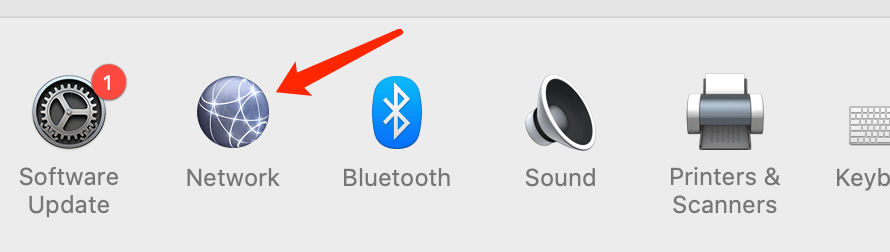
2)Advanced

3. Proxy [There are two protocols, choose the applicable protocol as needed]
1)Set up Http proxy
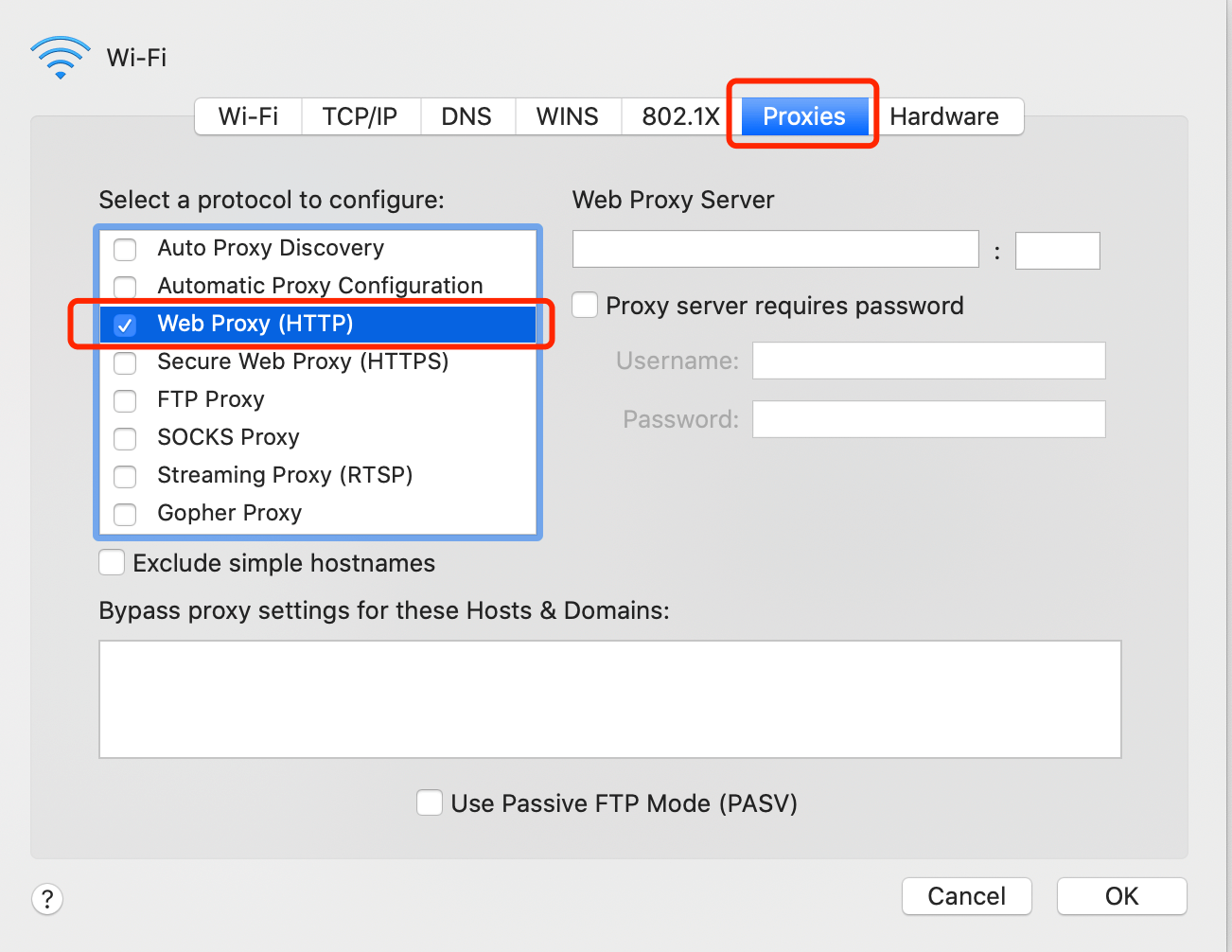
(1).Fill in the proxy server address and port information which you obtained from IP channel settings. The user name and password do not need to be filled in, and you can use it after clicking ‘save’.
! Note: If you use http protocol channel, you can only select "HTTP".
2)Set up Socks proxy
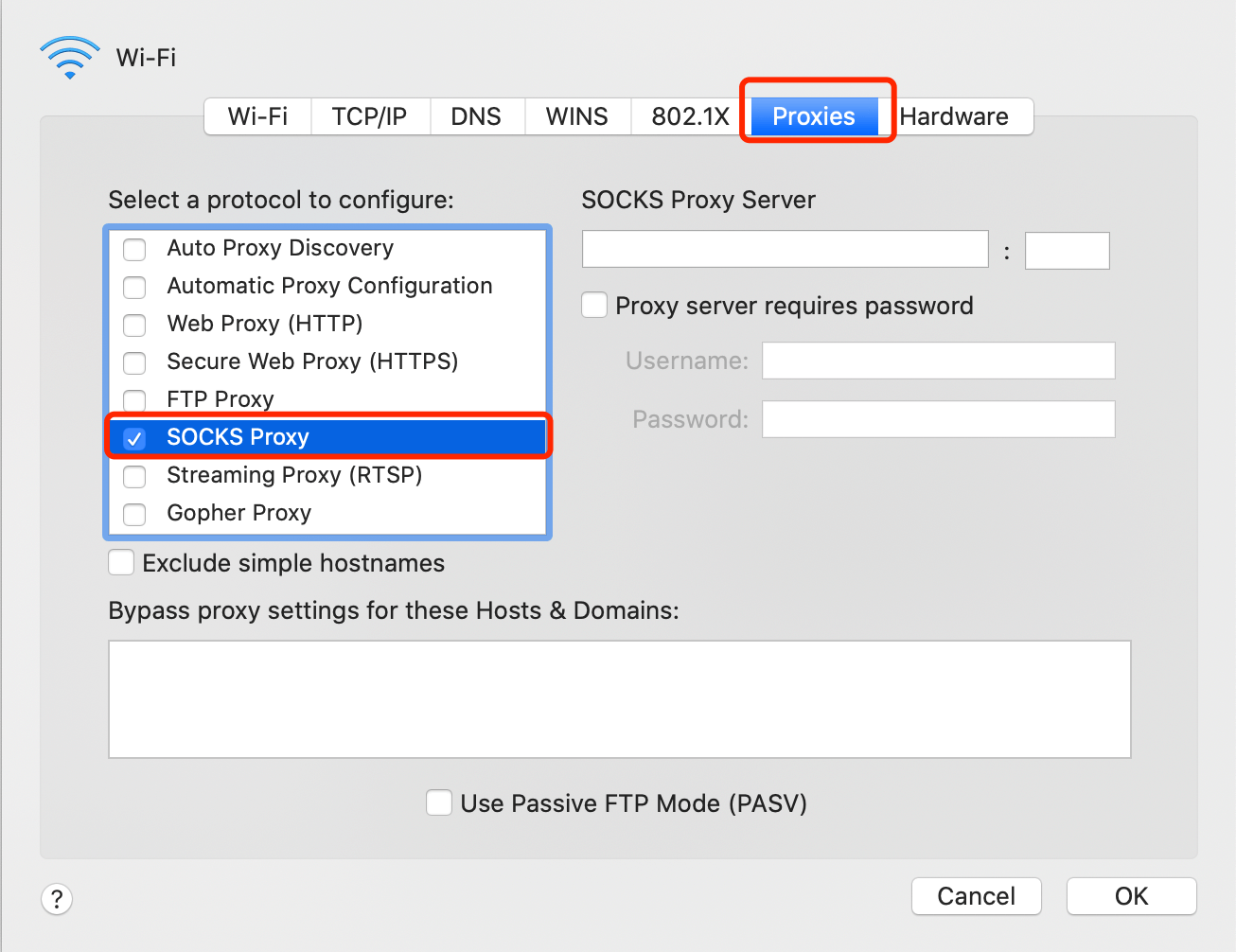
(1).Fill in the proxy server address and port information which you obtained from IP channel settings. The user name and password do not need to be filled in, and you can use it after clicking ‘save’.
! Note: If you use http protocol channel, you can only select "Socks5".
How to set up IP proxy in WINDOWS10 system
1. First obtain the proxy server address and port of Http or Socks5 protocol through "IP Settings", and then click "Start"-"Settings".
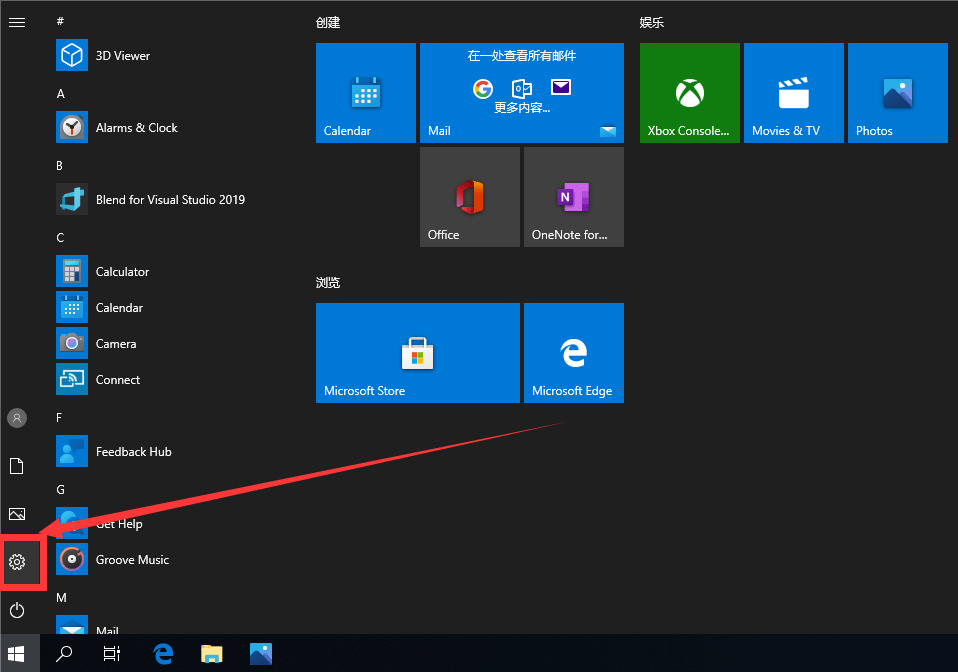
2. Click "Network and internet".
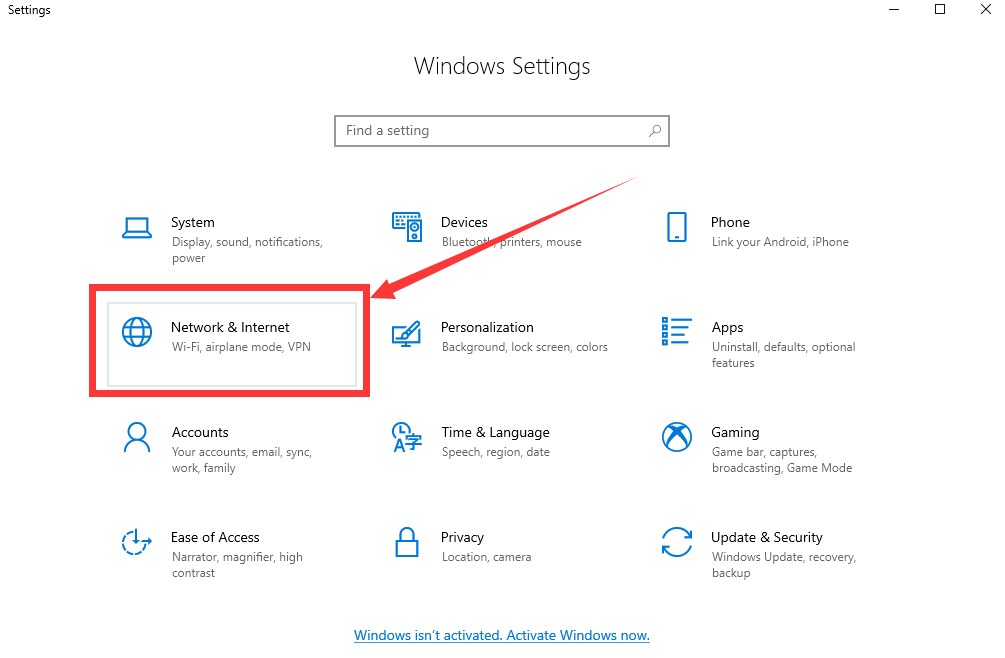
3. Select "Proxy" in "Network and internet".
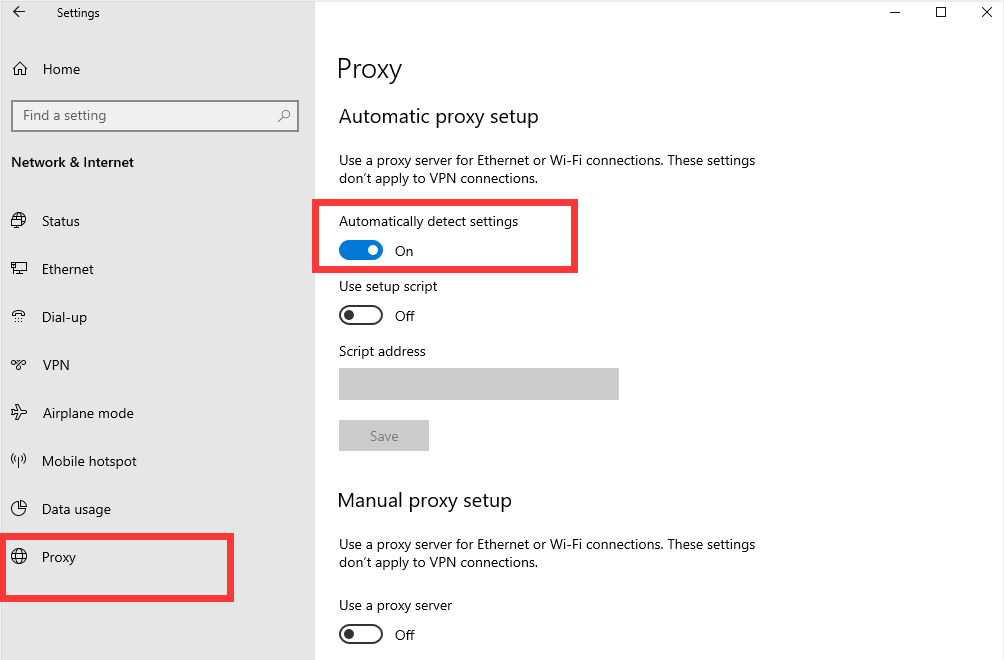
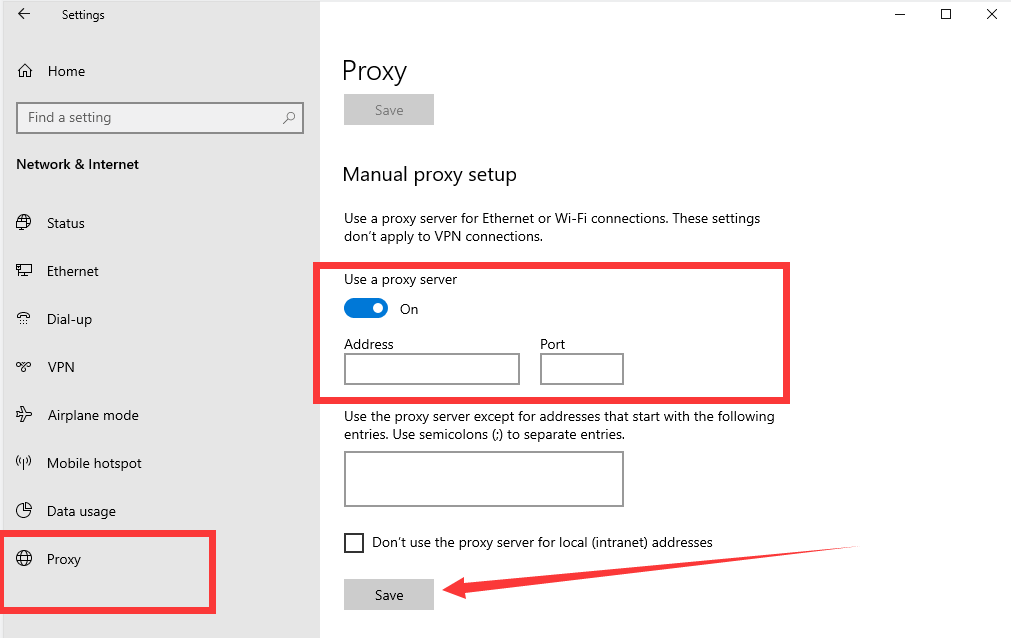
4. Turn off "Automatic detection", then turn on "Use proxy server", fill in the proxy server IP address and port. You can add IP addresses that do not need to use a proxy below‘Do not use proxy server for the following addresses’ as needed. Click "Save" after setting.

 Dynamic Residential
Support rotating proxy, stable up to 3 hours
Dynamic Residential
Support rotating proxy, stable up to 3 hours Mobile Proxy
Proxies Updated everyday, real 3G/4G/5G network
Mobile Proxy
Proxies Updated everyday, real 3G/4G/5G network API documentation
 Channel instructions
 Time-limit instructions
 Hi-concurrency instructions
Resources for learning
Hi-concurrency instructions
Resources for learning Computer instructions
 Browser instructions
 Mobile instructions
 City code list
 Country code list
 IP Locations Worldwide
 Proxy generator demo
 FAQ
Company
FAQ
Company About
About
 Blog
Download
Blog
Download Android App
 Chrome Extension


 English
 Chinese